Plan the week.
Finish what matters.
Nexus is project management for teams that work in weeks. Choose what each person finishes, work it on a live board, and see what is stuck before it is late, without chasing anyone.
14-day free trial · No credit card · Set up in minutes
Fits in with the tools you already use
- Claude
- Gemini
- Slack
- Google Calendar
- Outlook
- Apple Calendar
- Google Workspace sign-in
- Microsoft Entra ID
- Okta
- CSV export
Teams rarely lack tasks. They lack a clear week.
Tools that collect every task do not tell you what to finish this week, or who has room to do it. Nexus starts from the week.
Without a weekly plan
- Monday starts with a pile of tasks and no agreement on what matters
- Status lives in meetings, chat threads and spreadsheets
- You learn something is blocked when it is already late
- Nobody can tell who is overloaded until someone burns out
- On Friday, “how did the week go?” is a guess
With Nexus
- Each person sees exactly what they finish this week, with an owner and an estimate
- One live board, kept up to date by the people doing the work
- Blocked work rises to the top, and managers are alerted after two days
- Load bars show who has room before you commit to a plan
- Friday’s numbers come from real task data, not memory
A simple rhythm everyone can follow
Ten minutes on Monday, two minutes a day. Nobody has to ask what is going on, because the answer is already on the screen.
Plan on Monday
Pull tasks into the week, give each an owner and an estimate. Load bars show who has room and who is overloaded.
Work the board
Start, send for review, finish: one click each. Stuck? Say why in a few words and it rises to the top of everyone’s attention list.
Review on Friday
See what really got done: on-time delivery, cycle time, and how much of the plan finished. Unfinished work carries over.
Everyone knows what to finish this week
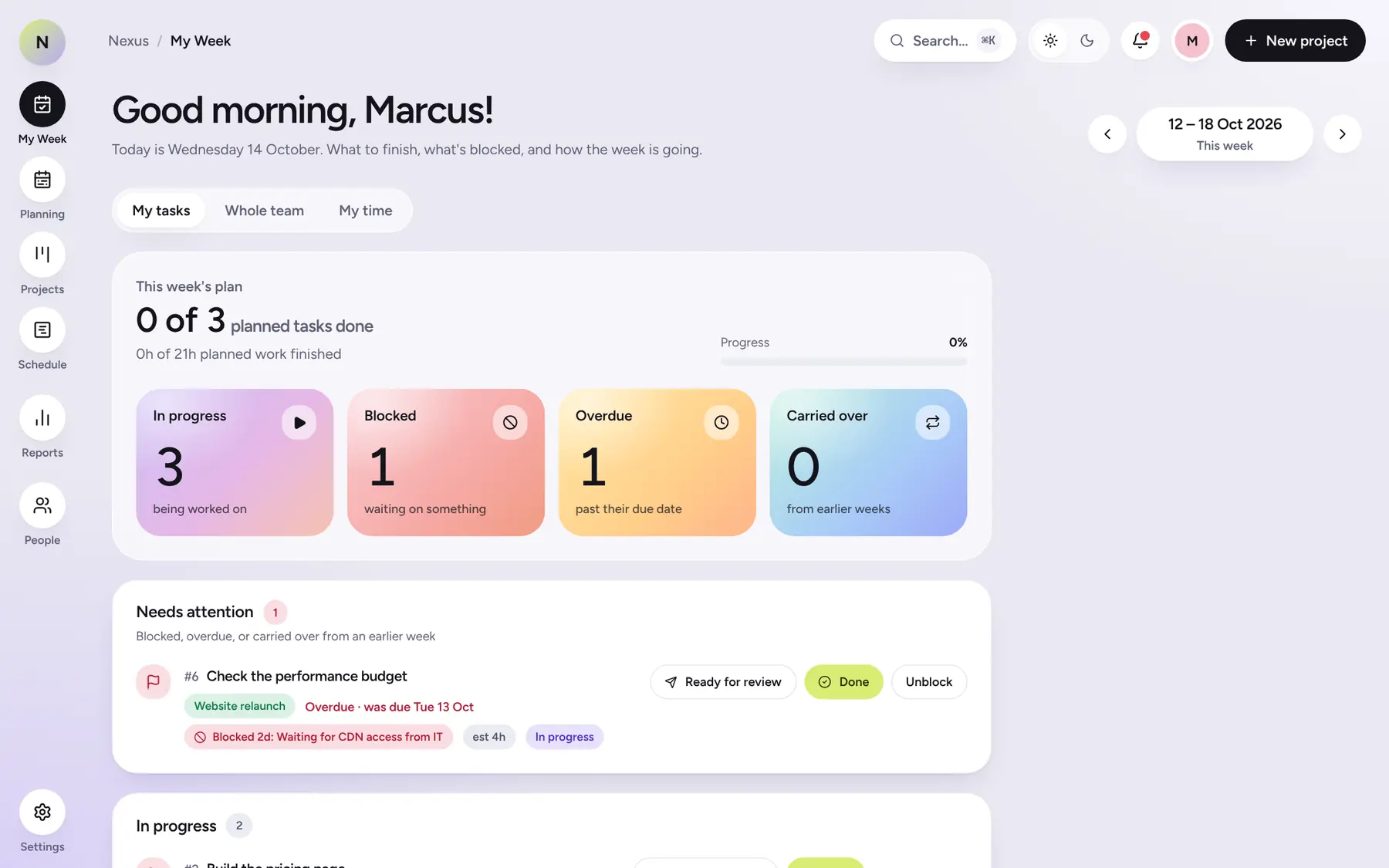
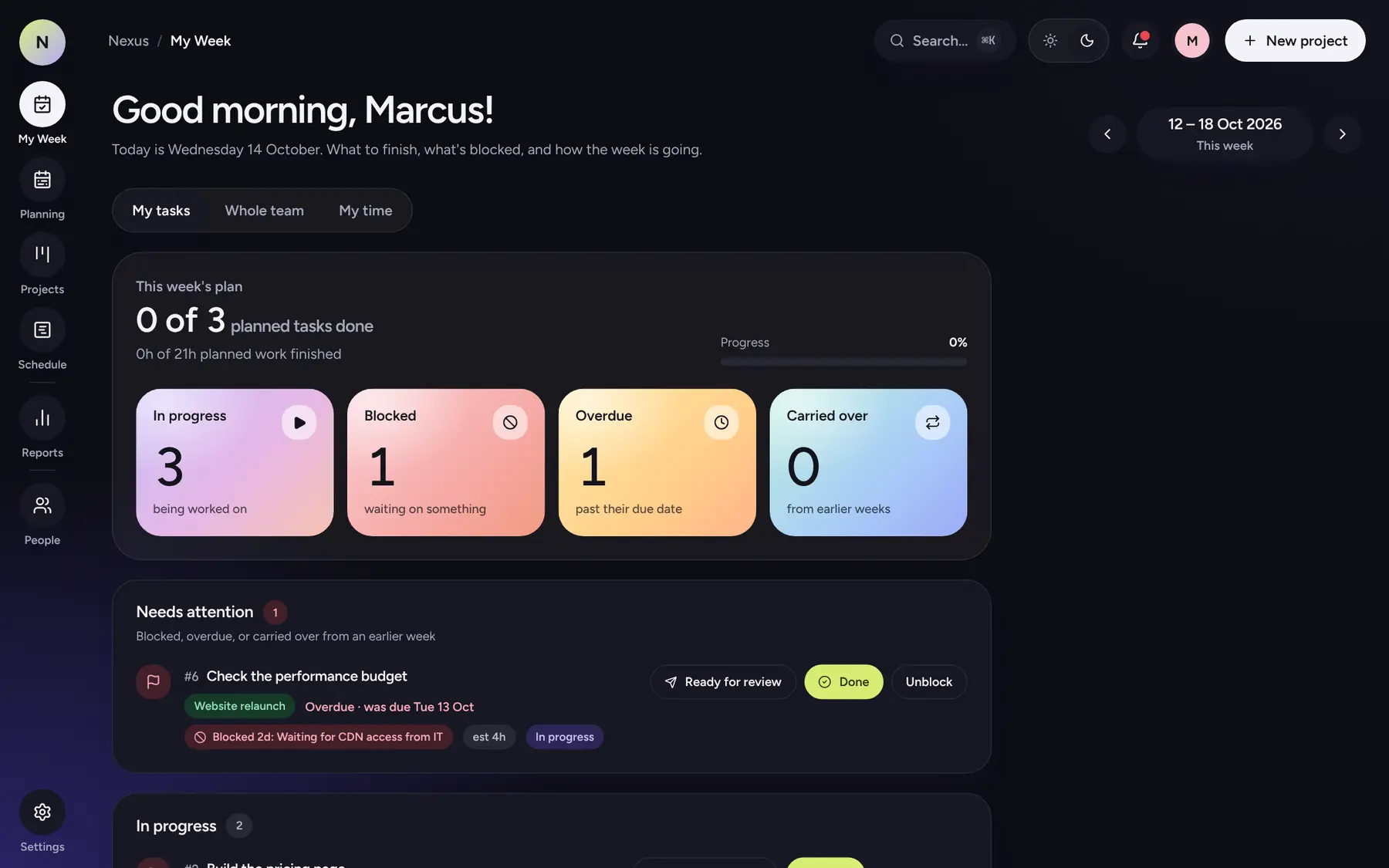
Open Nexus and see your plan, not a pile of tasks. What needs attention comes first, and every status change is one click.
- Blocked, overdue and carried-over work rises to the top
- Start, Ready for review, Done and Blocked, each one click
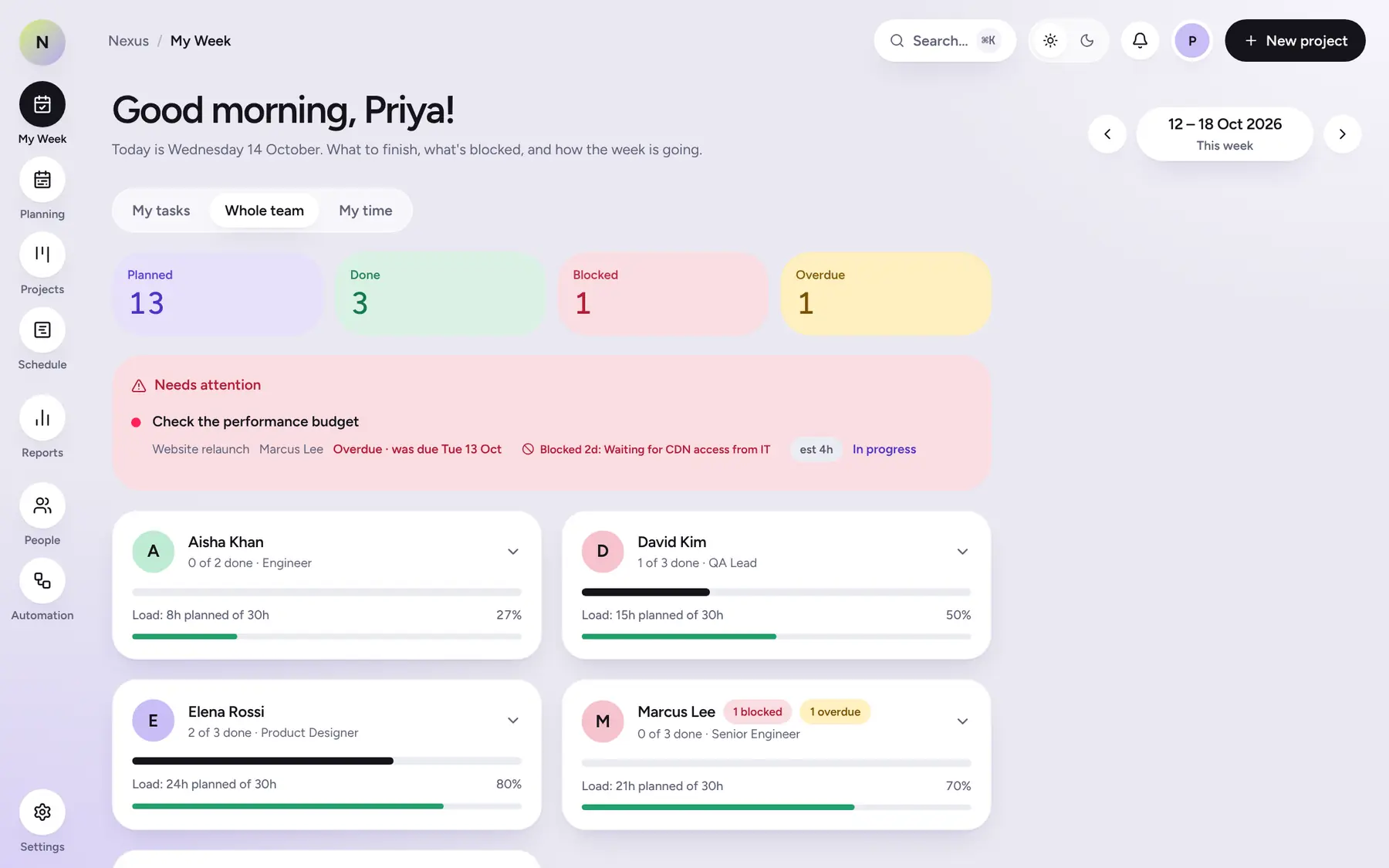
- A Whole team tab shows every person’s load and what is stuck
Plan the week without the spreadsheet
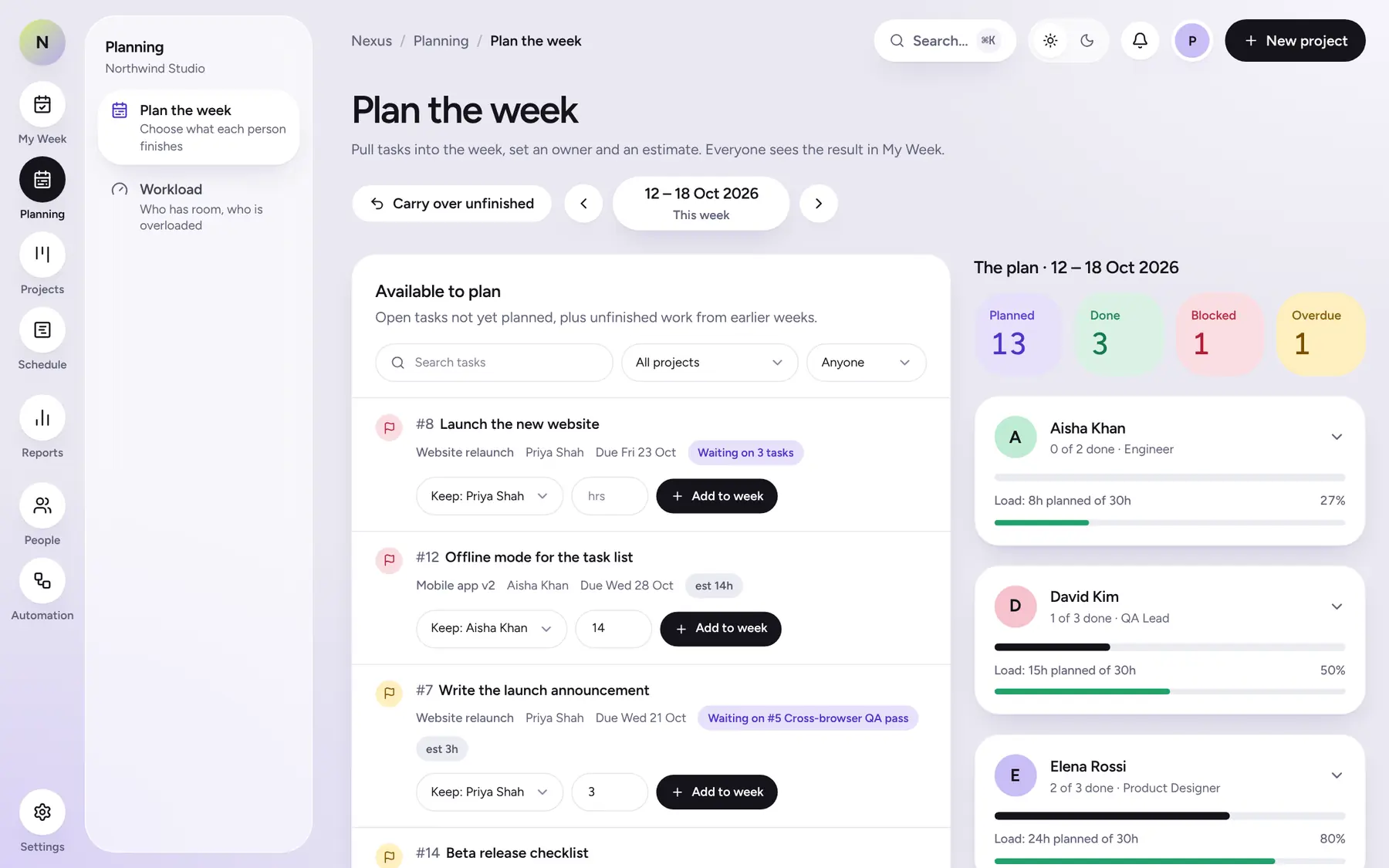
Pull work from the backlog into the week, choose the owner and the hours. See each person’s load as you plan, so nobody starts Monday overloaded.
- Load bars against each person’s weekly capacity, with time off counted
- Carry over unfinished work from last week in one click
- Warns about planned tasks nobody owns
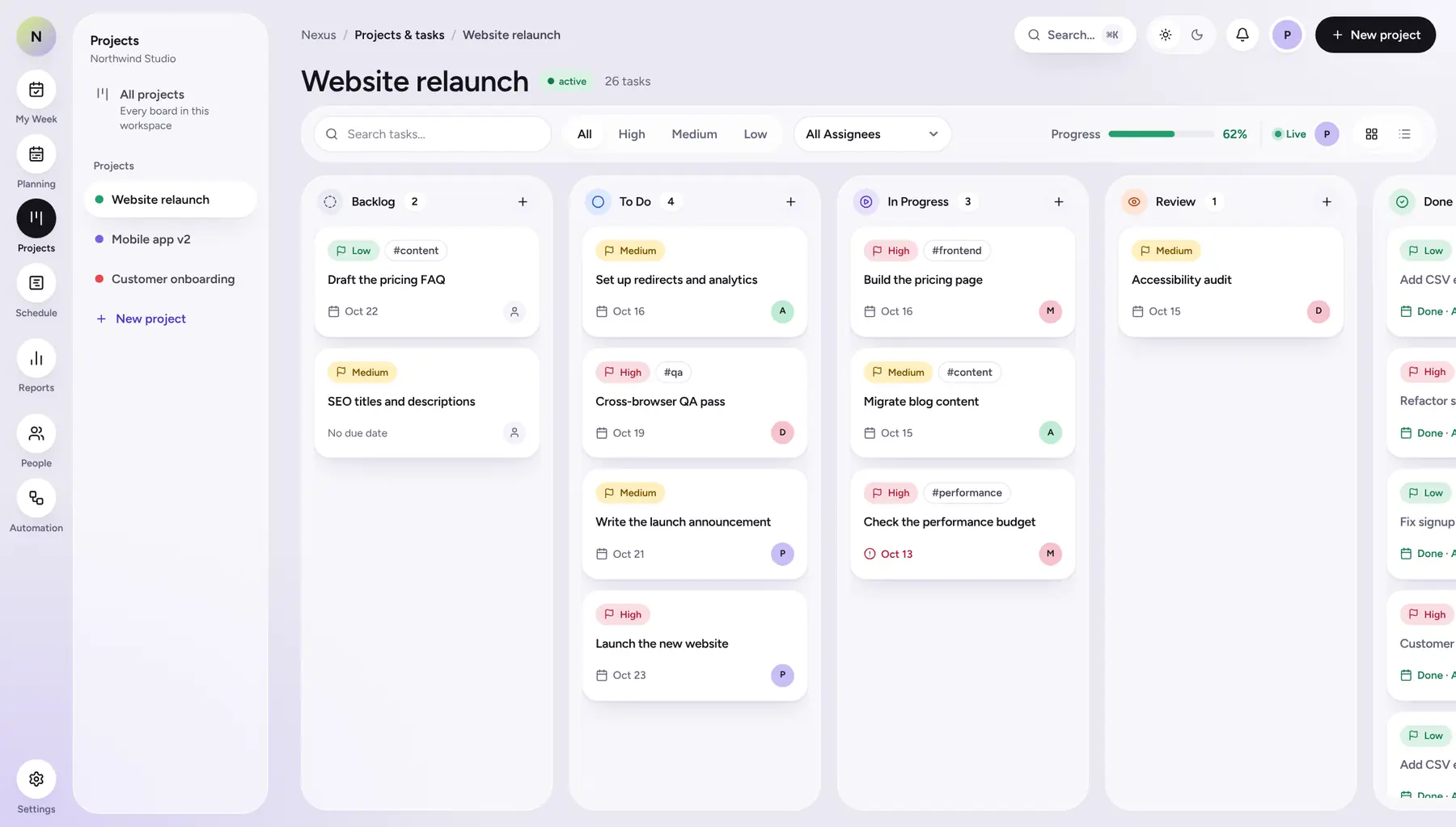
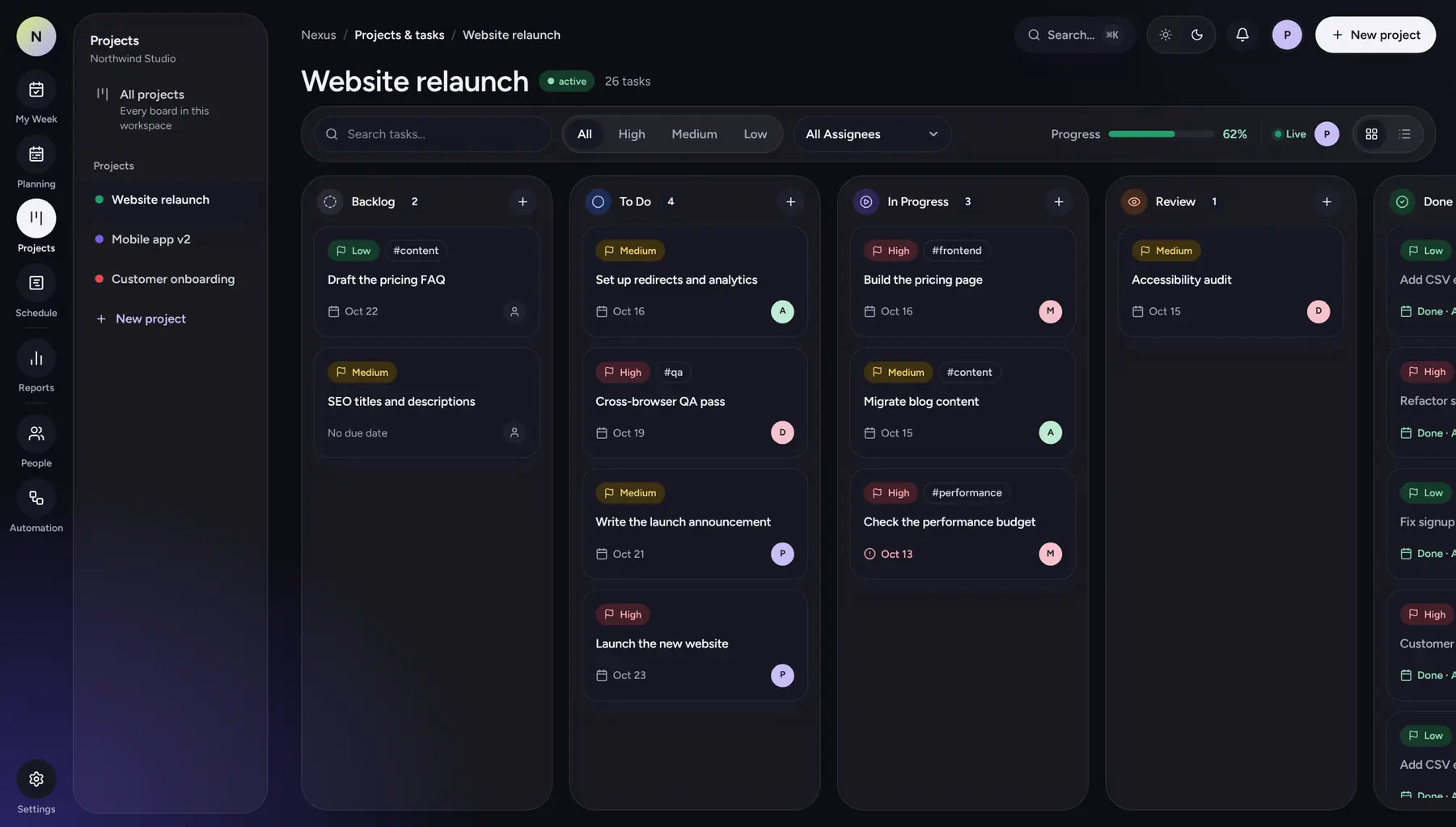
A board that is always live
Drag tasks across columns while your teammates watch it happen. Comments, @mentions, checklists and files live inside each task.
- Backlog to Done, with priorities, labels, owners and due dates
- Updates appear for everyone instantly, with no refresh
- Filter by person or priority, or switch to a list
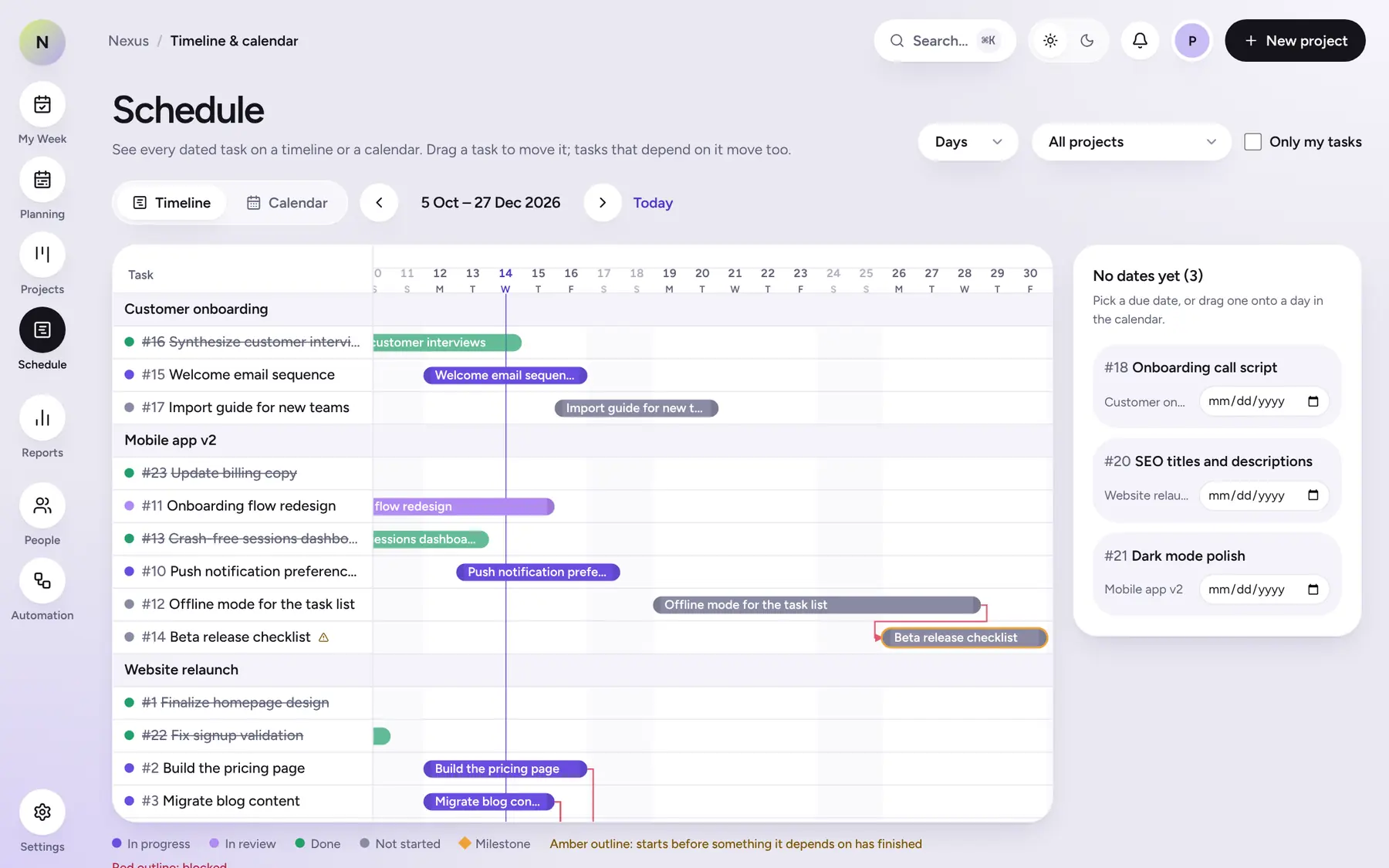
See the whole timeline, and what depends on what
Every dated task on a timeline or calendar. Say what must finish first, and when something slips, the tasks waiting on it move too.
- Timeline and calendar, grouped by project, with milestones and deadlines
- Dependencies: a task can wait on others, even across projects
- Drag a bar to reschedule; people see “Waiting on #12” in My Week
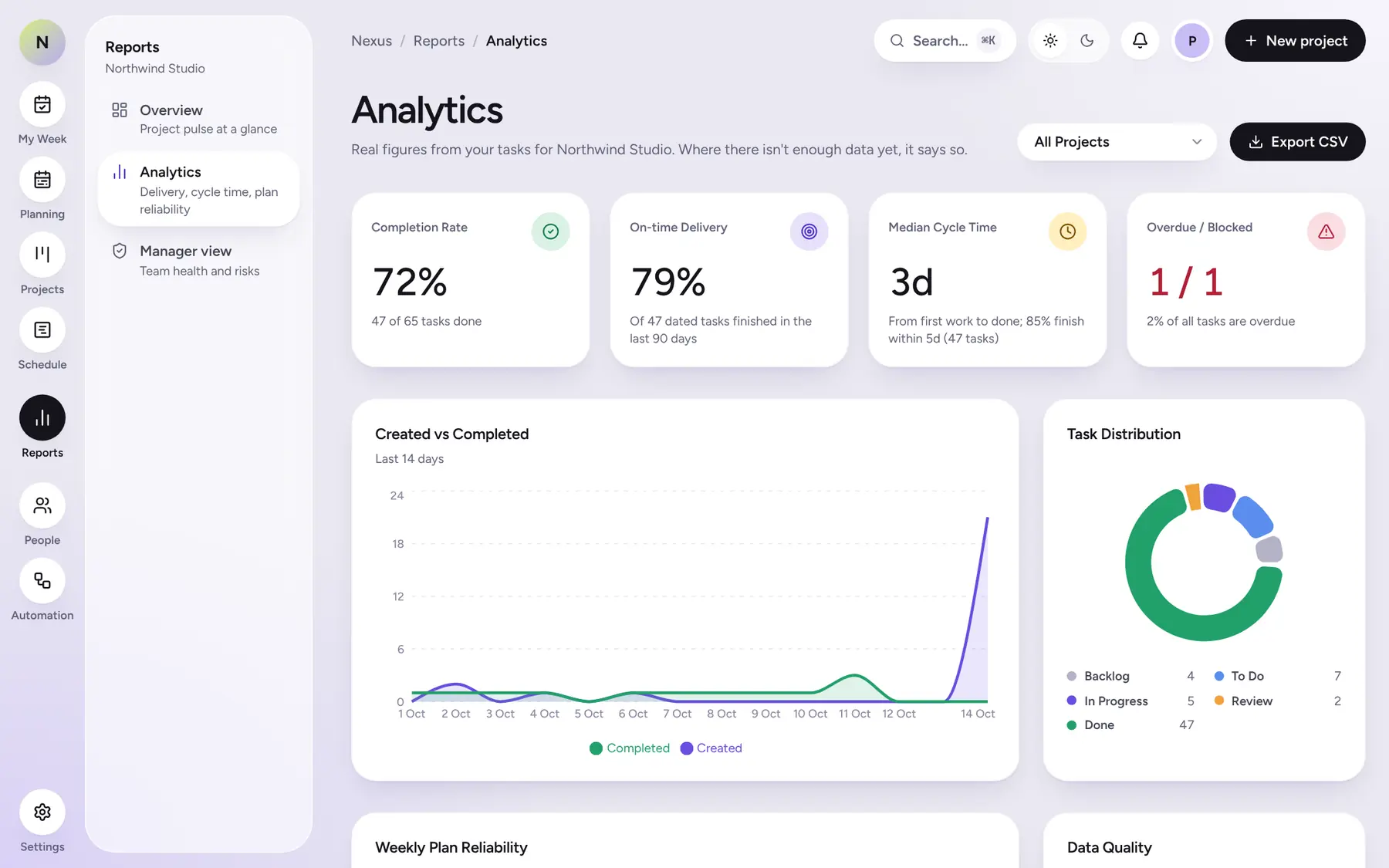
Numbers you can trust
Delivery figures come from your real task data. Where there is not enough data yet, Nexus says so instead of inventing a number.
- On-time delivery, median cycle time and plan reliability
- Project health, workload and who needs help
- Export to CSV for your own reporting
Everything your team needs, nothing it does not
No add-ons to buy and no hidden tiers. Every plan includes every feature.
Workload and capacity
See who has room and who is over, week by week, with time off counted in.
Time tracking
A timer, a personal timesheet, and estimate versus actual. Yours stays yours.
Automation rules
When a task moves, is overdue or gets blocked, assign, notify or comment automatically.
Repeating tasks
Weekly reports and monthly invoices appear on their own, with checklist and owner.
Request forms
A public link anyone can fill in. Every submission becomes a task and tells your managers.
Templates and fields
Start projects from ready-made templates, and add the custom fields your team needs.
Reminders that respect people
Your plan on Monday, what is due today, and blockers only for managers. In bell or email.
Slack and calendar
Post updates to a Slack channel, and see your tasks in Google, Outlook or Apple Calendar.
Comments, files, checklists
@mention a teammate, attach files, tick off steps. Everything stays with the task.
Built for the week, not just for a list of tasks
A spreadsheet can hold a plan and a board can hold tasks. Neither tells you who is overloaded or what is stuck.
| Capability | Spreadsheet | Task board | Nexus |
|---|---|---|---|
| Shows each person what to finish this week | No | Partly | Yes |
| Shows load against weekly capacity, with time off | No | No | Yes |
| Blocked work surfaces on its own | No | Partly | Yes |
| Everyone sees changes live | Partly | Yes | Yes |
| Dependencies move when a date slips | No | Partly | Yes |
| On-time delivery and plan reliability from real data | No | Partly | Yes |
| Ask an AI assistant to update it (Claude, Gemini) | No | No | Yes |
A general comparison of common approaches, not of any particular product.
One way of working, shaped to how your team works
Every plan includes every feature. Here is what different teams reach for first.
Ship what the week promised.
- A live board with dependencies, so a slipping task moves what waits on it
- Cycle time and plan reliability show whether your estimates hold up
- Ask Claude or Gemini to update tasks without leaving your editor
Many clients, one clear week.
- Projects per client, with view-only access for people outside your team
- Time tracking and timesheets, with estimate versus actual
- Request forms so a client’s ask becomes a task, not an email
The recurring work, done on time.
- Repeating tasks for weekly reports and monthly checks, with owner and checklist
- Automation rules that assign, notify or comment when a task changes
- Workload and time off, so cover is planned before it is needed
Nothing a customer asked for gets lost.
- A public request form that turns every submission into a task
- Blocked work alerts your managers, so a stuck customer issue is seen
- Updates to a Slack channel keep the wider team informed
Run your week by chat with Claude or Gemini
Connect once and just ask. The assistant acts as you: it can see and change only what you can, and everything it does is recorded.
- Ask what is blocked, what is on your plate, or how the week is going
- Create, assign, update and comment on tasks in plain language
- Sign in with your own account, with no API keys to copy around
- View-only roles are respected, and you can disconnect any time
Example conversation
Built so you can trust it with real work
Your company’s data stays yours
Every company is isolated from every other, in the application and in the database itself.
Secure sign-in
Two-step verification, company single sign-on, and sessions you can end everywhere at once.
The right people see the right things
Roles, project membership and view-only access. Someone who is not on a project cannot even see it exists.
An audit trail
See who signed in, changed access, connected an app or edited a setting, and export it.
Start free. Grow when you need to.
Every company starts with a 14-day free trial. Every plan has every feature; plans differ only in how many people, projects and files you can have.
Free
For a small team getting its weekly rhythm going.
$0
- 5 people
- 1 workspace
- 3 projects
- 200 MB file storage
- Every feature included
Team
For growing teams running several projects at once.
Early-access pricing
- 25 people
- 5 workspaces
- 100 projects
- 10 GB file storage
- Every feature included
Business
For larger organizations with many projects and people.
Early-access pricing
- 250 people
- 25 workspaces
- 1,000 projects
- 100 GB file storage
- Every feature included
Enterprise
For organizations that need higher limits and a close working relationship.
Custom
- Unlimited people
- Unlimited workspaces
- Unlimited projects
- Unlimited file storage
- Every feature included
From sign-up to your first plan in an afternoon
Start the 14-day free trial now. Nothing to install, and you can bring your team in when you are ready.
Create your company
Sign up with your work email and name your company. It takes about a minute, and there is no credit card.
Invite your team
Send invitations by email and choose what each person can see. Anyone can be added as view-only.
Plan your first week
A short checklist in the app walks you through making a project, adding tasks and planning the week.
Not sure it fits? Write to hello@nexus-pm.app and a person will answer.
Questions, answered
Is there a free trial?
Who is Nexus for?
Can I use it for more than one company?
Who can see our data?
How do the AI assistants work?
Does it integrate with Slack and calendars?
What happens after the trial?
How do I get help?
Your next Monday starts here.
Set up your team in minutes. No credit card, and nobody has to install anything.