Everything for a team that works in weeks
Planning, a live board, a real timeline, workload, time, automation, reports and AI assistants. Every plan includes all of it.
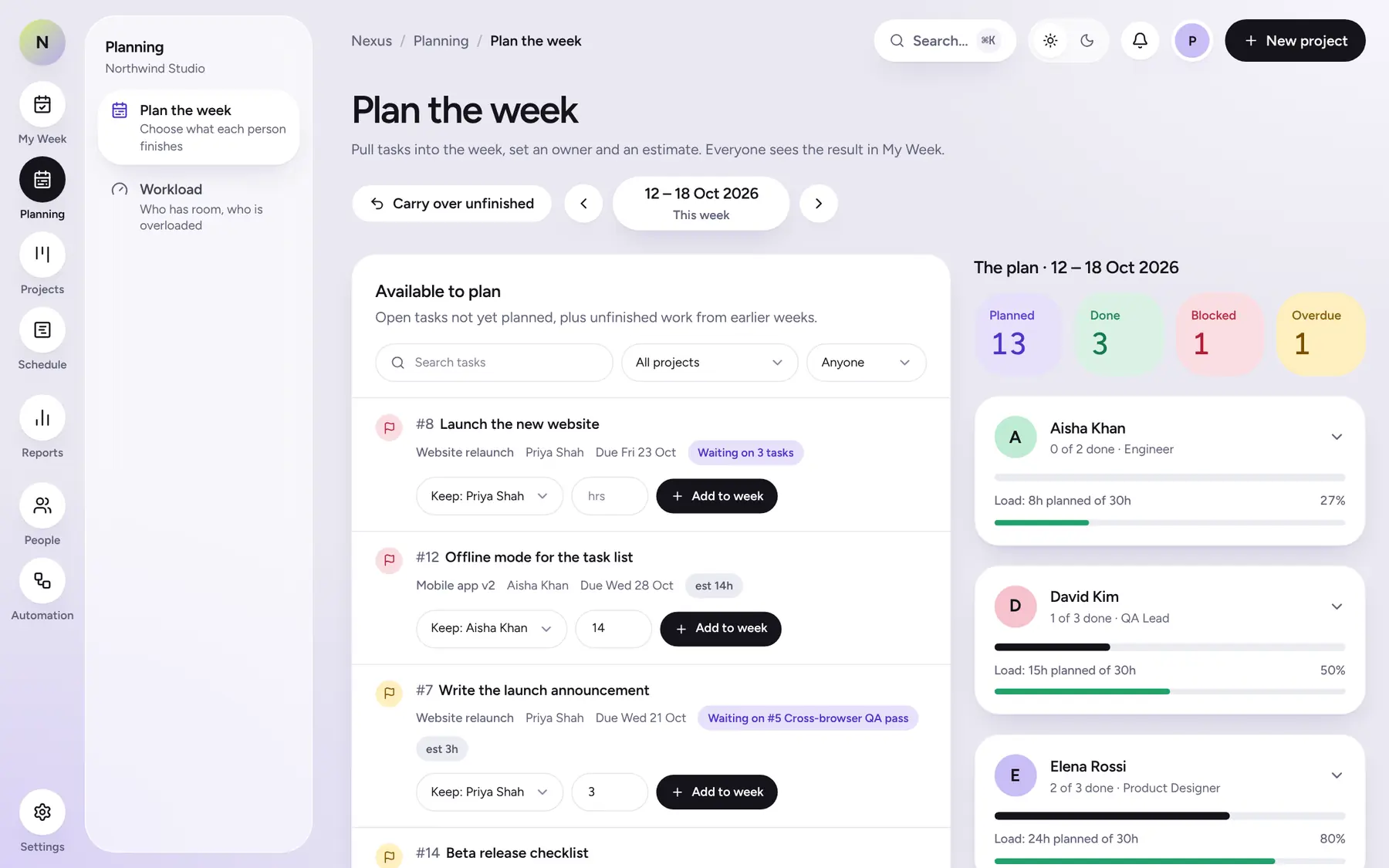
Plan the week, then see how it is going
Nexus is built around the weekly plan: what each person will finish, with an owner and an estimate. Everyone sees it the moment it is made.
- My Week shows your plan with progress, and puts what needs attention first: blocked, overdue and carried-over work.
- Plan the week pulls tasks from the backlog into the week with an owner and hours, with load bars against each person’s weekly capacity.
- Unfinished work carries over in one click and is tagged so it does not quietly slip.
- Workload shows the next 4, 8 or 12 weeks, counts time off, and names who has room to help when someone is over.
- A Whole team tab shows who has nothing planned, who is overloaded and what is stuck.
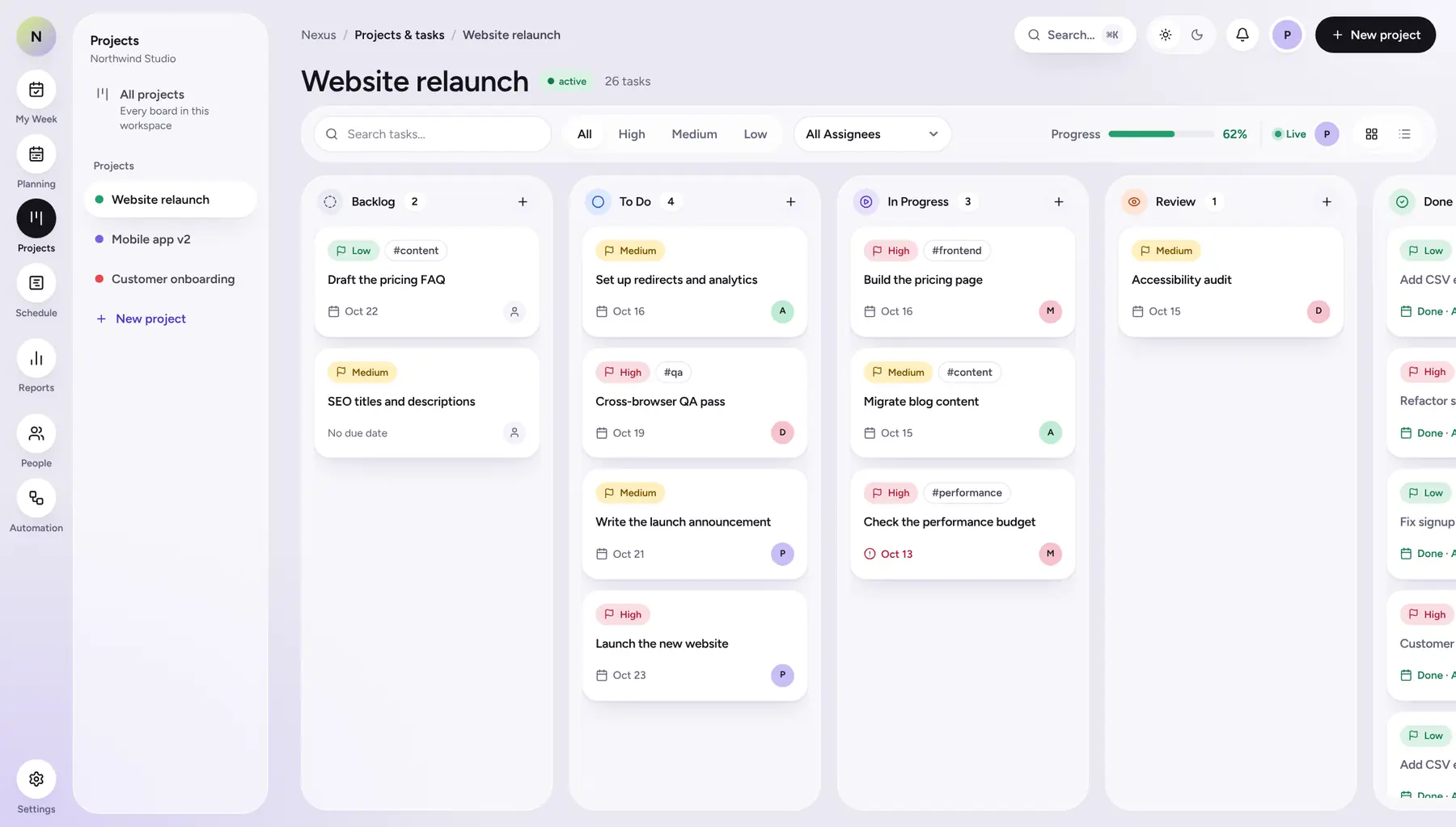
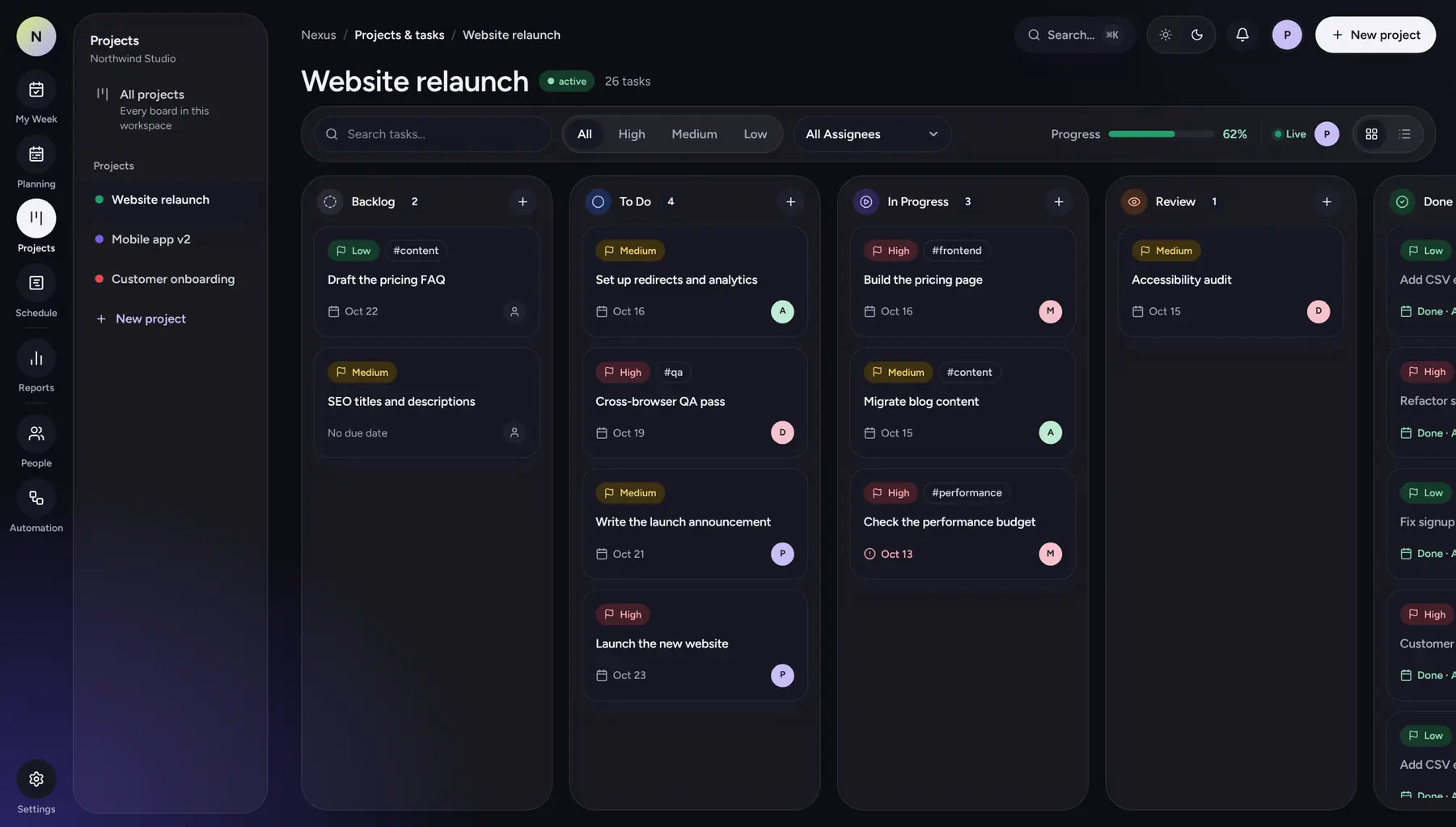
A board your whole team can see change
Backlog, To do, In progress, Review and Done. Drag a card and everyone watching sees it move.
- Drag and drop between columns, or switch to a list; filter by priority or person
- Priorities, labels, owners, due dates, estimates and custom fields on every task
- Mark a task blocked with a reason, and it appears at the top of everyone’s attention list
- Live updates: changes by teammates, assistants and automations appear without refreshing
- Short task numbers (#12) that are easy to say, search and paste
A timeline that knows what depends on what
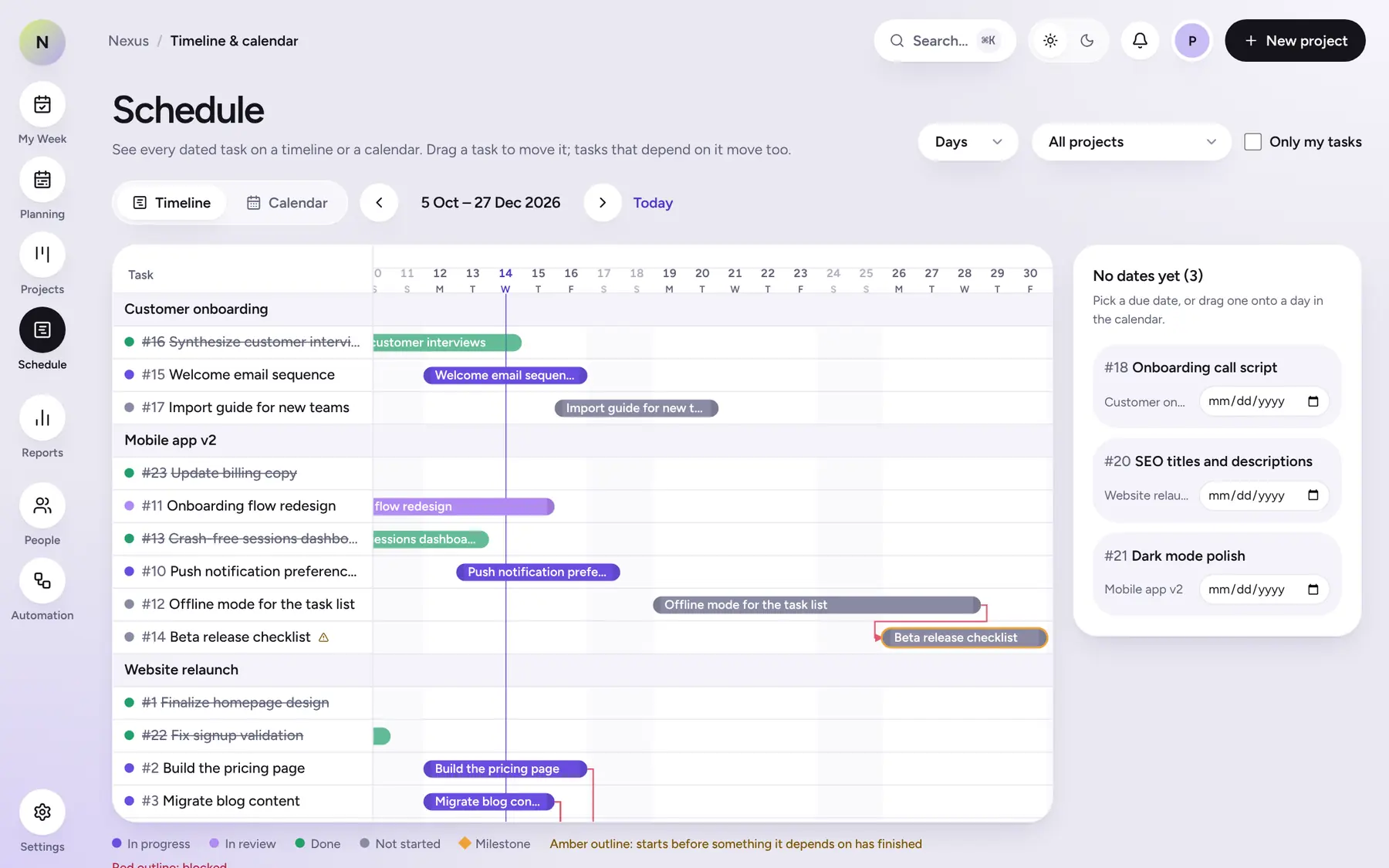
Every dated task on a timeline or a calendar. Tell Nexus what must finish first, and it keeps the schedule honest.
- Timeline grouped by project, with today, project deadlines and milestones
- A task can wait on others, even across projects. Loops are refused.
- Drag a bar to move a task; unfinished tasks that depend on it move just far enough, and you are told how many
- People see “Waiting on #12” in My Week, so nobody has to ask what is holding them up
- A month calendar and a list of tasks with no dates yet
Everything about a task stays with the task
Open any task and find the whole conversation, the files and the history in one place.
- Comments with @mentions: only people who can see the project can be mentioned, and they are notified
- Files: drag in or paste screenshots, PDFs, spreadsheets and documents (10 MB each); the file type is checked, not just the name
- A real checklist per task, and links, including to Google Drive
- An Activity tab: who changed what and when, including changes made “via Claude” or “via Automation”
Time tracking for planning, not for ranking
Track time to plan better. Your own entries are yours, and managers see time per project, not a league table of people.
- A timer in every task, or add time afterwards ("1:30", "45m")
- A personal weekly timesheet in My Week
- Estimate versus actual on finished work feeds your reports
- Weekly capacity per person, plus leave, holidays and company-wide days off that lower the capacity of that week
Let the routine run itself
Rules, repeating tasks, request forms and templates remove the busywork that nobody should be doing by hand.
- Rules: when a task moves, is created, assigned, blocked or overdue, assign, set priority, move, label, notify or comment
- Repeating tasks: daily, weekly, monthly, or N days after the last one is finished, with checklist, owner and estimate
- Request forms: a public link anyone can fill in without an account; each answer becomes a task and your managers are told
- Templates for launches, sprints, client onboarding and events, and your own, with dates worked out from a start date
- Custom fields per project: text, number, date, choice, yes/no
- Safe by design: a rule never starts another rule, and every run is logged
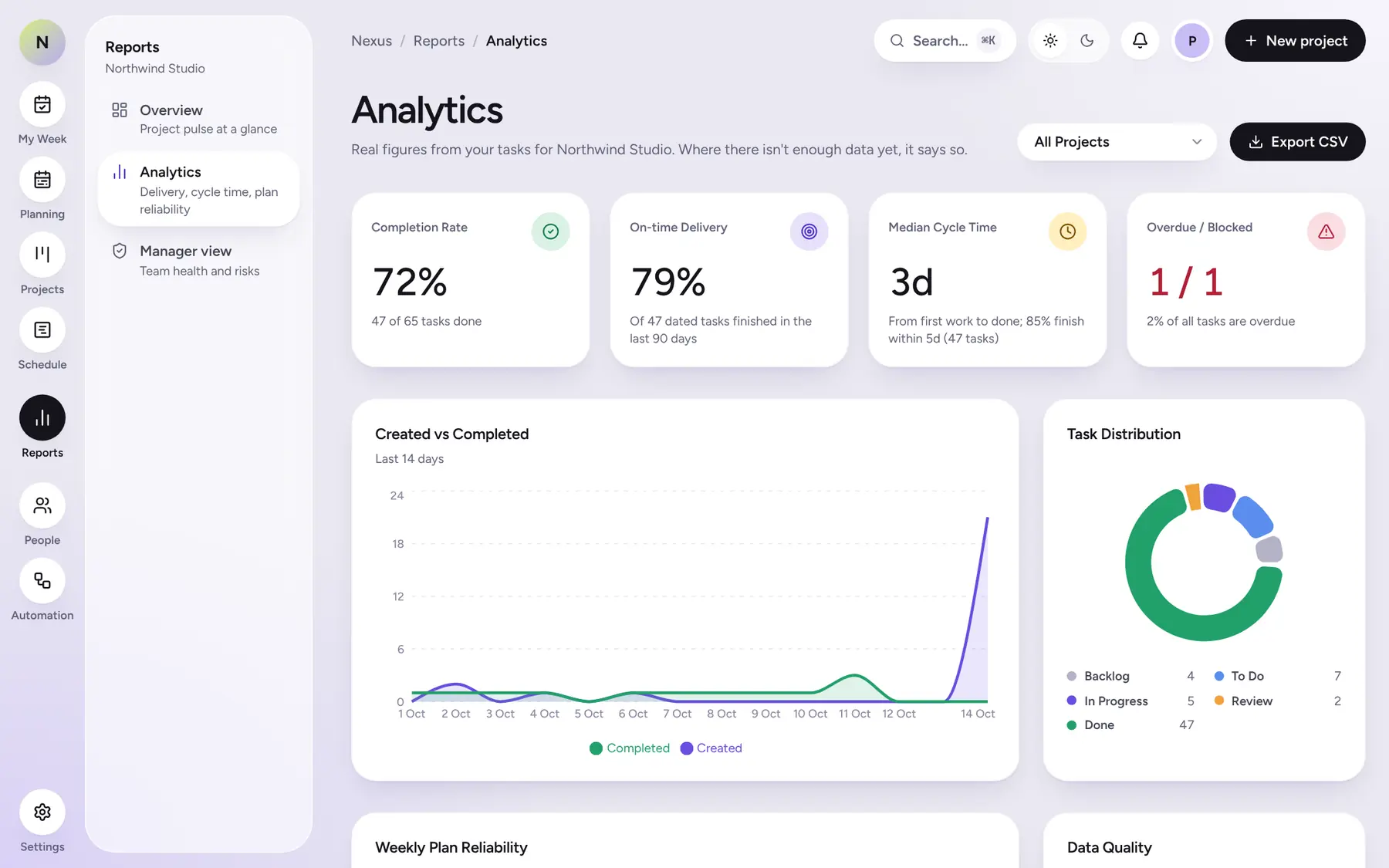
Real numbers, with honesty built in
Every figure comes from your own task data. When there is not enough data yet, the screen says so instead of showing a made-up number.
- On-time delivery, median cycle time and completion rate
- Weekly plan reliability: how much of each week’s plan was actually finished
- Project health, overdue and blocked work, and a manager view of team risks
- Export to CSV
Told what to do, not nagged
People hear what concerns them. Managers hear only about what is stuck.
- Your plan on Monday, what is due today (only when something is), and a Friday summary, in each person’s own time zone
- Managers get one alert when work has been blocked or overdue for two days or more
- Each person chooses bell and email for each kind of message
- Slack: post new, finished and blocked tasks and the team plan to a channel
- Calendar: a private link that shows your tasks in Google Calendar, Outlook or Apple Calendar
Claude and Gemini, working as you
Connect an assistant once with your normal sign-in. It can then read and change your work in plain language, with exactly your permissions.
- Ask: “What is my plan this week?”, “What is blocked?”, “Who has nothing planned?”
- Do: create, assign, update, plan, block and comment on tasks; mark work done and log the hours
- Safe: it can only do what you can; view-only roles are respected; changes are marked “via Claude” or “via Gemini”
- You stay in control: see connected assistants in Settings and disconnect any of them instantly
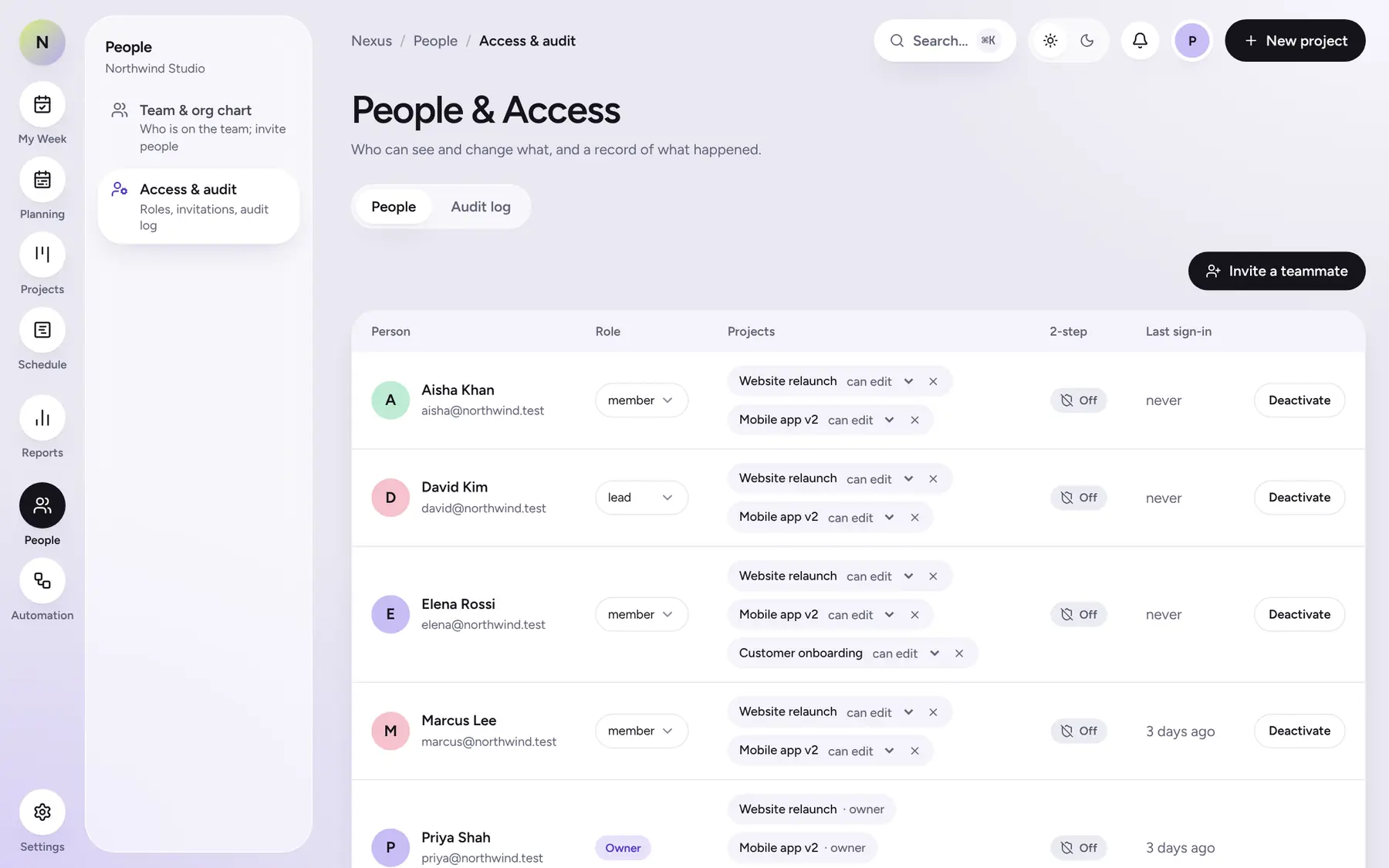
The right access for everyone
Invite people by email, choose what they can see, and keep a record of who changed what.
- Roles per company: administrator, manager, lead and member
- View-only access per project, for stakeholders who should read and comment but not change
- Email invitations with a secure link, and an org chart of who reports to whom
- Two-step verification (authenticator app), company single sign-on (Google, Microsoft, Okta and others), and the ability to sign out everywhere
- An audit log of sign-ins and access changes that you can filter and export
One login, as many companies as you need
Work for more than one company, or run separate companies of your own, without mixing anything up.
- Each company has its own people, projects, roles and settings, completely separate from the others
- Switch companies from the account menu; you can have a different role in each
- Plans and limits are per company, and each company sees its own usage
See it with your own team.
Set up your team in minutes. No credit card, and nobody has to install anything.